Chaos

What are you looking for?

Early access to the best deal of the year: 20% off all plans.

Claim now
03
03
09
32
03
03
09
32
sub-menu-logo-architecture.svg

Shape spaces. Explore possibilities.

Explore products

Architecture design software that supports every stage of your workflow.

From fast concept iterations to immersive visualization, sustainable insights, and cinematic storytelling—everything in one place to help architects design with confidence.   

Fast concept design & iteration
Real-time design feedback
Sustainable insights from the start
Immersive storytelling & presentation

Fast concept design & iteration

Explore more options, validate ideas faster, and communicate ideas more effectively in the early stages of architectural design with Enscape and Veras.
feature-icon-flash-black.svg
Real-time rendering

Get instant rendering updates as you design. Easily swap materials, adjust lighting, and change layouts on the fly.

feature-icon-palette-black.svg
Rapid design exploration

Generate multiple design variations quickly for brainstorming new concepts and pitching initial ideas to clients.

feature-icon-ai-black.svg
AI-powered ideation

Test different styles and explore more creative directions before committing time and resources.

Explore products
Explore products

Case studies

© Sonnentag Architektur
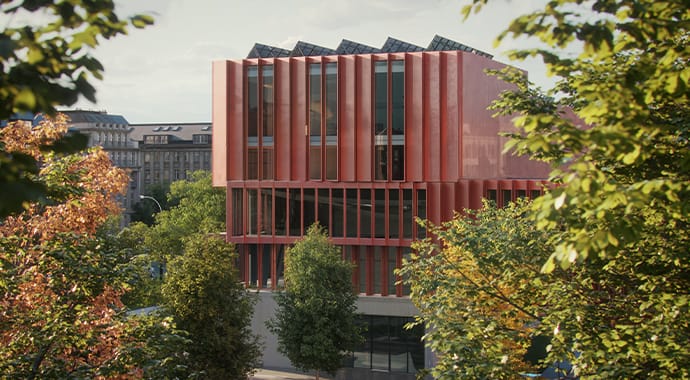
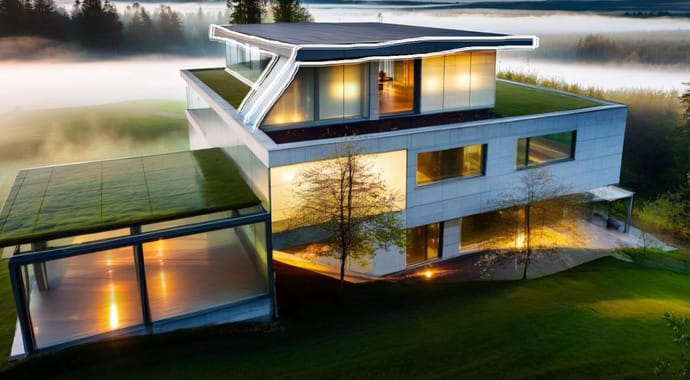
Designing a Future-Ready Medical Center with Enscape and Veras

Faced with a tight deadline, a difficult site, and a building with many requirements, the Sonnentag Architektur team needed design tools to help them problem-solve and adequately communicate their design. With Enscape Premium, the Sonnentag team used Veras for fast design iteration and Enscape to overcome site challenges and produce client-ready renderings. The final assets not only delighted their client, but convinced them to approve the ambitious design.
undefined-3.jpg
The Positive Impact of Real-Time Visualization at M Moser Associates

For M Moser Associates, Enscape is integral to client communication and daily design work. To make Enscape even easier for their designers, the team built SketchUp plugins for quick material and asset management, strengthening a model-based IPD workflow with textures kept in sync between SketchUp and Enscape. With real-time rendering, they can iterate quickly and communicate via renderings, animations, panoramas, and VR—saving time, averting delays, and avoiding client misunderstandings.

Veras-extension.jpg
Enscape and Veras in Action: Designing a Community-Approved Penthouse Extension

After designing a four-dwelling apartment for himself and fellow owner-occupiers, architect Marco Iannelli explored a rooftop extension. Enscape let him refine the layout and staircase and navigate existing obstacles, while Veras sped up iterations to test materials and roof forms. Using Enscape assets to gather feedback, Marco finalized a future-proofed extension design to be built in the coming years.

Architectural design software from Chaos.

Directly integrated with leading CAD and BIM platforms—streamlining your design process, delivering impressive presentations, and enhancing collaboration across project teams.

Real-time design exploration inside your modeling tools.
Make changes on the fly, see results instantly, and explore multiple ideas during client reviews.

20% off

Presentation and storytelling.
Transform designs into cinematic visuals, immersive walkthroughs, and presentations that clients easily understand.

AI-powered design iterations.
Generate multiple variations in seconds. Explore forms, facades, and layouts to unlock creative directions early.

Early-stage sustainability insights.
Compare daylight and energy scenarios to hit targets. Make data-backed choices clients can trust.

see what's new

Check out our latest architecture updates.

chaos-suites-1920x600_(1).pngchaos-suites-1920x600_(1).png

Introducing the Chaos ArchDesign suites.

The Chaos ArchDesign suites are built around Enscape and are ideal for architects and designers who need a fast end-to-end workflow for architectural design and visualization.

Think real-time design feedback, powerful AI capabilities, high-quality real-time visualization, and animation. All with tight integration into the most popular CAD/BIM tools available.
veras-image-to-video-var-1410x800.png
product-bar-logo-veras-color-40x40.svg
Set your ideas in motion.

Veras 3 brings images to life. Transform Veras renderings, or any image, into short, dynamic animations with a simple prompt. From panning and zooming to weather effects or time-of-day shifts, add motion and atmosphere like never before, directly within your design workflow.

Learn more >

envision-1.2-hero-690x380.jpg
product-bar-icon-envision-color-40x40.svg
Envision 1.2 adapts to your workflow.

Get creative with up to 5,000+ new assets, curated Asian vegetation, realistic water, and AI material generation through the upgraded Cosmos library. Combined with intuitive snapping, object replacement, and support for even larger scenes, you’ll work with higher precision and less time lost to manual adjustments.

Learn more >

cosmos-enscape-news.png
product-bar-icon-enscape-color-40x40.svg
Enscape 4.11 highlights

Enscape 4.11 delivers a more connected and efficient design experience. With Chaos Cosmos integration, you get faster, more intuitive access to your Enscape assets, plus over 2,000 new assets from the Cosmos library. Enhanced software ray tracing, smarter geometry handling, and improved Rhino material support boost both visual quality and performance. Updates to Enscape Impact further improve the accuracy and usability of early-stage sustainability analysis.

Learn more >

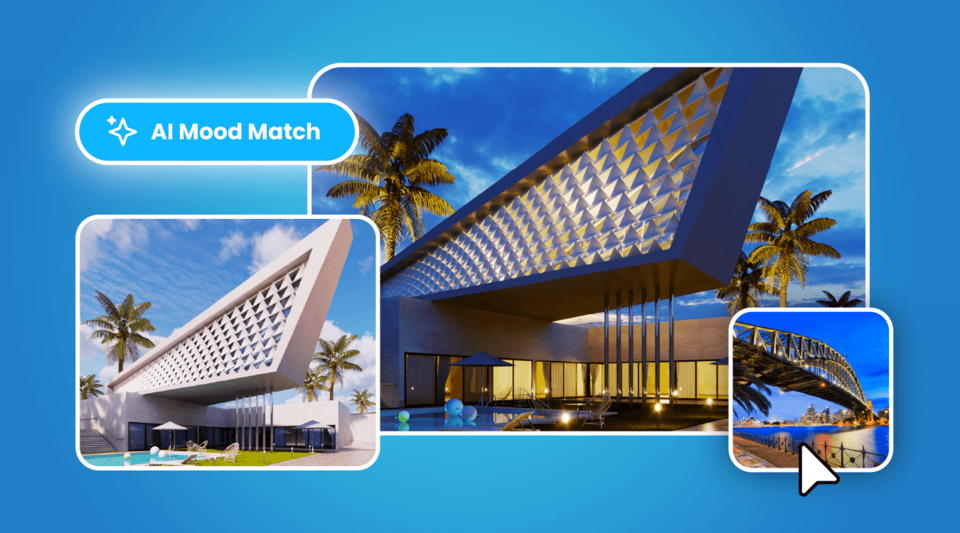
cloud-ai-upscale-var-900x500.png

A sneak peek at what’s next.

AI Mood Match

This one-click photo-based lighting replaces manual sky and sun tweaks.

AI Material Recommender

Search and find Cosmos materials by writing straightforward prompts, instead of manually browsing.

left-arrow
right-arrow
https://placeholder.raketa.cloud/images/900x500

PURSUIT

Stand out and win the project.

https://placeholder.raketa.cloud/images/32x32

First impressions count. In a competitive market, you must quickly seize opportunities.

https://placeholder.raketa.cloud/images/32x32

First impressions count. In a competitive market, you must quickly seize opportunities.

left-arrow
right-arrow

Frequently asked questions.

What should I look for in architecture design software?

Architects often prioritize real-time feedback, integration with modeling tools (like Revit, SketchUp,Rhino, Archicad, or Vectorworks), sustainability insights, and high-quality presentation outputs. Choosing tools that work together across the workflow makes projects more efficient.

What are the best architecture design tools for concept development?

For early-stage ideation, architects often need to explore multiple directions quickly. Veras helps generate AI-powered design variations in seconds, so you can compare options and refine ideas without slowing down your workflow.

How can I visualize my designs in real time?

Enscape integrates directly into Revit, SketchUp, Rhino, Archicad, and Vectorworks, giving you instant rendering feedback as you model. This allows you to adjust lighting, materials, and layouts on the fly—with no exports or refreshes.

What are AI tools in architecture used for?

AI is increasingly used in architecture to generate design variations, explore new forms, and accelerate repetitive tasks. This gives architects more time to focus on creativity, client needs, and problem-solving.

How can I communicate design intent to clients and contractors more clearly?

Immersive visualization tools such as real-time walkthroughs, panoramas, VR, and cinematic presentations make spaces intuitive to understand. Whether it’s exploring the model directly in Enscape or creating polished narratives with Envision, these experiences help clients and contractors grasp design intent quickly and approve decisions with confidence.

Are Chaos architecture tools available on Mac as well as Windows?

Some are cross-platform, but certain integrations (like Enscape for Revit, Impact, and Envision) are currently Windows-only.

What is the best architecture design software for beginners?

For newcomers, intuitive tools like SketchUp or Revit LT are common starting points. To experience designs in context without complex rendering setups, Enscape offers real-time walkthroughs directly inside your modeling tool—helpful for beginners wanting quick visual feedback.

Which architecture design software includes BIM capabilities?

Building Information Modeling (BIM) is supported by programs like Autodesk Revit, Archicad, Rhino and Vectorworks. These tools store geometry and building data together, enabling better collaboration, clash detection, and accurate construction documentation.

Which architecture design software supports sustainable building design?

BIM tools such as Revit or Archicad support energy modeling plug-ins, while analysis platforms like IES VE or Sefaira offer detailed performance simulation. Early-stage visualization tools with sustainability insights—such as Enscape Impact (built on IES VE technology)—allow architects to test daylight, energy, and material performance during concept design, ensuring sustainable choices are considered from the start.

How do you use architecture design software in practice?

Architects sketch concepts, develop BIM models, coordinate data, test performance, and present designs. Enscape works across the entire process as a design companion—letting you explore ideas, adjust designs on the fly, and present immersive walkthroughs directly inside your modeling environment.

Explore other industries we serve.

Chaos
© 2025 Chaos Software EOOD. All Rights reserved. Chaos®, V-Ray® and Phoenix FD® are registered trademarks of Chaos Software EOOD in Bulgaria and/or other countries.