Chaos

What are you looking for?

20% off Enscape, V-Ray & Corona. Get early access to the best deal of the year now!
Claim offer

What’s new in Enscape

Discover what’s new in the current Enscape version: Feature highlights, performance tweaks, and get the latest download link.

Smarter asset workflow with Chaos Cosmos.

As of version 4.11, Enscape uses Chaos Cosmos as its asset delivery platform, providing a faster, more intuitive way to search, filter, and place content within your design workflow. This integration moves Enscape closer to a unified asset experience across Chaos tools like Envision, V-Ray, and Corona, making it easier to manage assets across platforms. 

With the latest Cosmos update, Enscape users now have access to more than 2,000 additional assets—including new furniture, vegetation, and accessories—curated for architectural visualization.

Learn more about Cosmos
cosmos-enscape-news.png

Additional updates

D-Impact-ComfortableRooms-Yearky-(1)-1410x800.jpeg

Early-stage sustainability insights with Enscape Impact

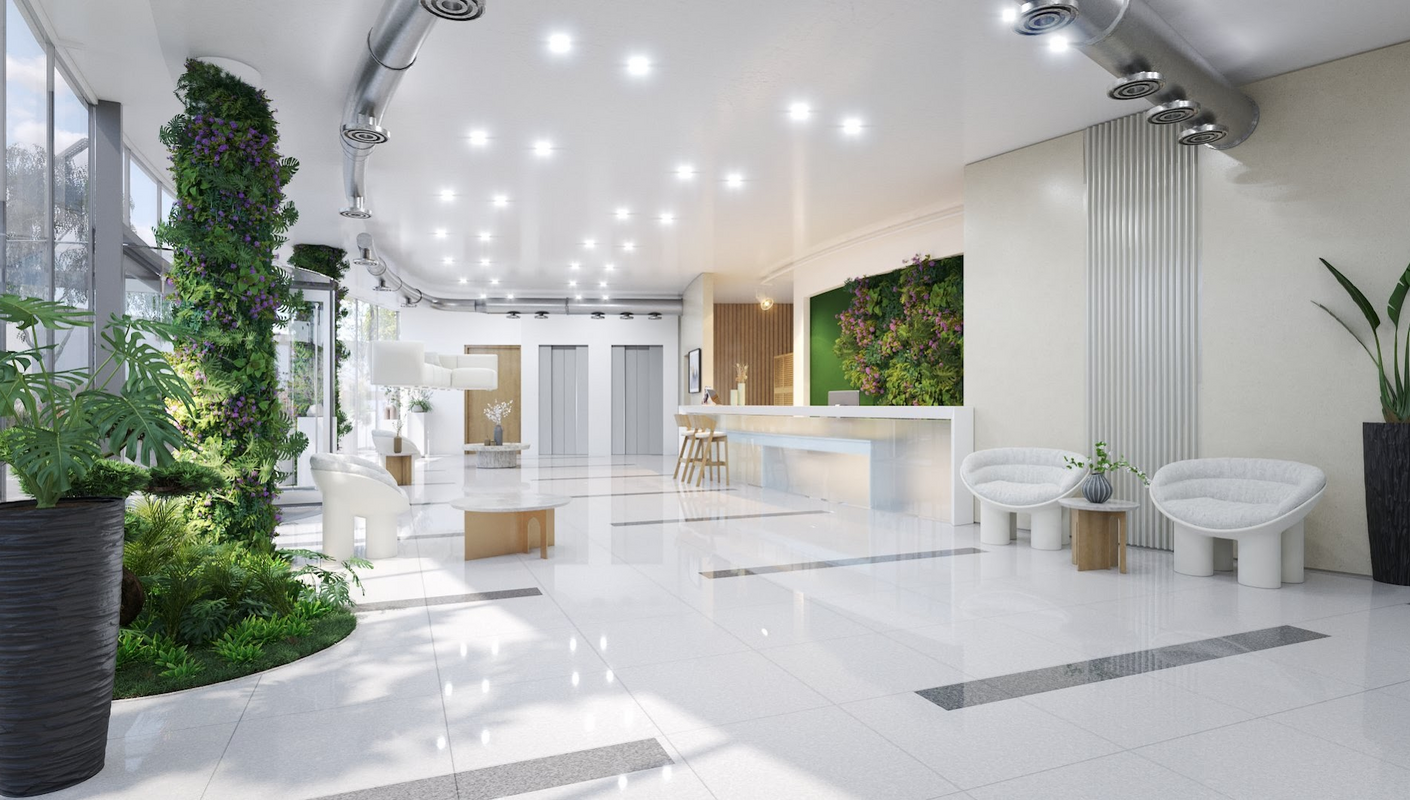
Enscape Impact now includes Thermal Comfort Analysis and Exportable Performance Reports, helping you make better design choices from day one. Visualize how comfortable your spaces will feel for occupants, compare design options, and share sustainability insights with clients and collaborators—all without leaving your design workflow.

Learn more about Enscape Impact → 
Reintroduced: Save as External Model for Enscape in SketchUp

SketchUp users can once again save components as lightweight external models. These appear as simple placeholders in SketchUp but show up in full detail in Enscape, helping keep large projects fast and organized while still rendering at high quality.

SketchUp 2026, Archicad 29 & Vectorworks 2026 support

Enscape now supports the latest versions of SketchUp, Archicad, and Vectorworks, so you can stay up-to-date with your design tools and keep your visualization workflow running smoothly.

Enhanced support for Revit filters

Enscape now mirrors Revit’s behavior when multiple visual filters are applied to the same elements. Color, transparency, and other overrides are properly combined to ensure your views in Enscape accurately reflect your Revit setup for more consistent design communication.

Improved grass shading

Enscape’s 3D procedural grass material now features enhanced shading quality, including self-shadowing for a more natural and realistic look. This important improvement helps ground exterior scenes more convincingly, especially in sunlit environments and close-up views.


See all of the latest features, bug fixes, and improvements in the Enscape Release notes.


WHAT’S NEW IN CHAOS CLOUD

Sharper renders and easier sharing with AI upscaling and 3D streaming.


ai-upscale-690x380.png
AI Upscaler

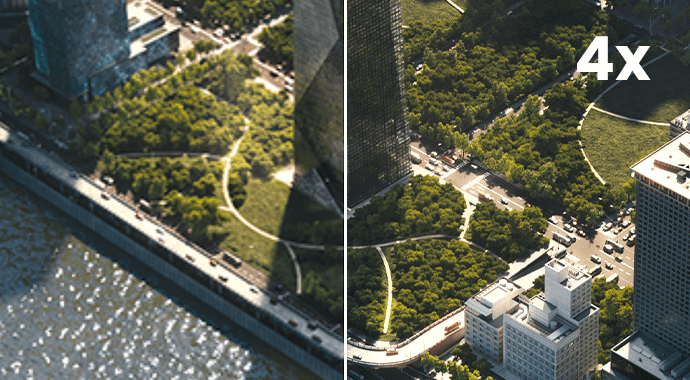
Upscale render outputs 2x or 4x in one click, instantly increasing resolution and sharpening textures without increasing render time. Perfect for quickly generating crisp, high-resolution visuals for client presentations, or marketing materials. The feature is seamlessly integrated into Chaos Cloud, so you can enhance your outputs right after rendering, with no need for rework.

enscape-advanced-enhance-comparison-690x380.png
Updated AI enhancer

The updated AI Enhancer gives users greater creative control over their visuals with new adjustment options for people, vegetation, and seasonal context. This user-guided feature helps you quickly explore visual variations and present more relatable, diverse, and context-aware design imagery—without manual rework.

v-ray-sku-rhi-rev-up2-chaos-cloud-3d-streaming-690x380.jpg
Chaos Cloud 3D streaming >

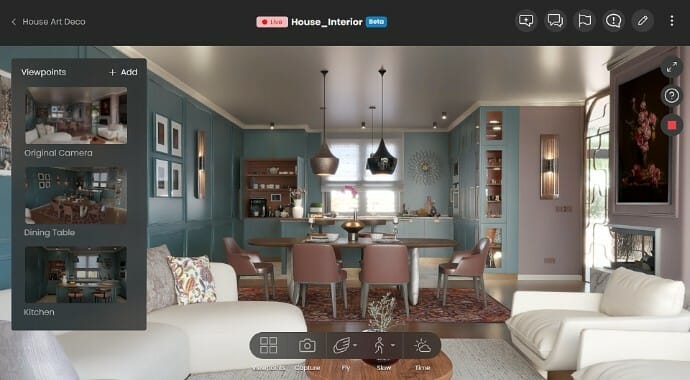
Chaos Cloud streaming (beta) lets you share fully interactive Enscape walkthroughs. Enable stakeholders to explore designs live, in the same high-fidelity graphics used to create them, without downloads or specialized hardware. Scenes are hosted in the cloud and accessed via link, ensuring faster feedback and clearer communication of design intent.

Missing something? Want to shape the future of Enscape?

Drop it in the Enscape Ideas Portal and help shape what's next.

14-day free trial

Sign up for a free 14-day trial and discover how fast and easy real-time design can be:

  • Full version license
  • Customer support
  • Training resources
  • Community access
Get my free trial
enscape-try-free.png
Chaos
© 2025 Chaos Software EOOD. All Rights reserved. Chaos®, V-Ray® and Phoenix FD® are registered trademarks of Chaos Software EOOD in Bulgaria and/or other countries.