
Chaos

What are you looking for?

20% off Enscape, V-Ray & Corona. Get early access to the best deal of the year now!
Claim offer
corona14-hero-night-sky-1920x600.png

Corona 14 for 3ds Max and Cinema 4D

See what’s new.
Try freeBuy now

Reimagine rendering. 

 Corona 14 blends human creativity with AI intelligence, enhanced procedural power, and cosmic inspiration to deliver faster results and more emotional storytelling. Easily place buildings in context with Gaussian splats support, create stunning night renders using Night Sky, design fabrics procedurally with true-to-life woven detail, use AI to create materials in seconds, upscale your low-resolution renders, enhance your visuals with more precision, and more in Corona 14. 

corona14-fabric-material-2-1410x800.jpgcorona14-fabric-material-2-1410x800.jpg

Place your buildings in context effortlessly.

corona14-gaussian-splats-1410x800.jpg

Gaussian Splats support 

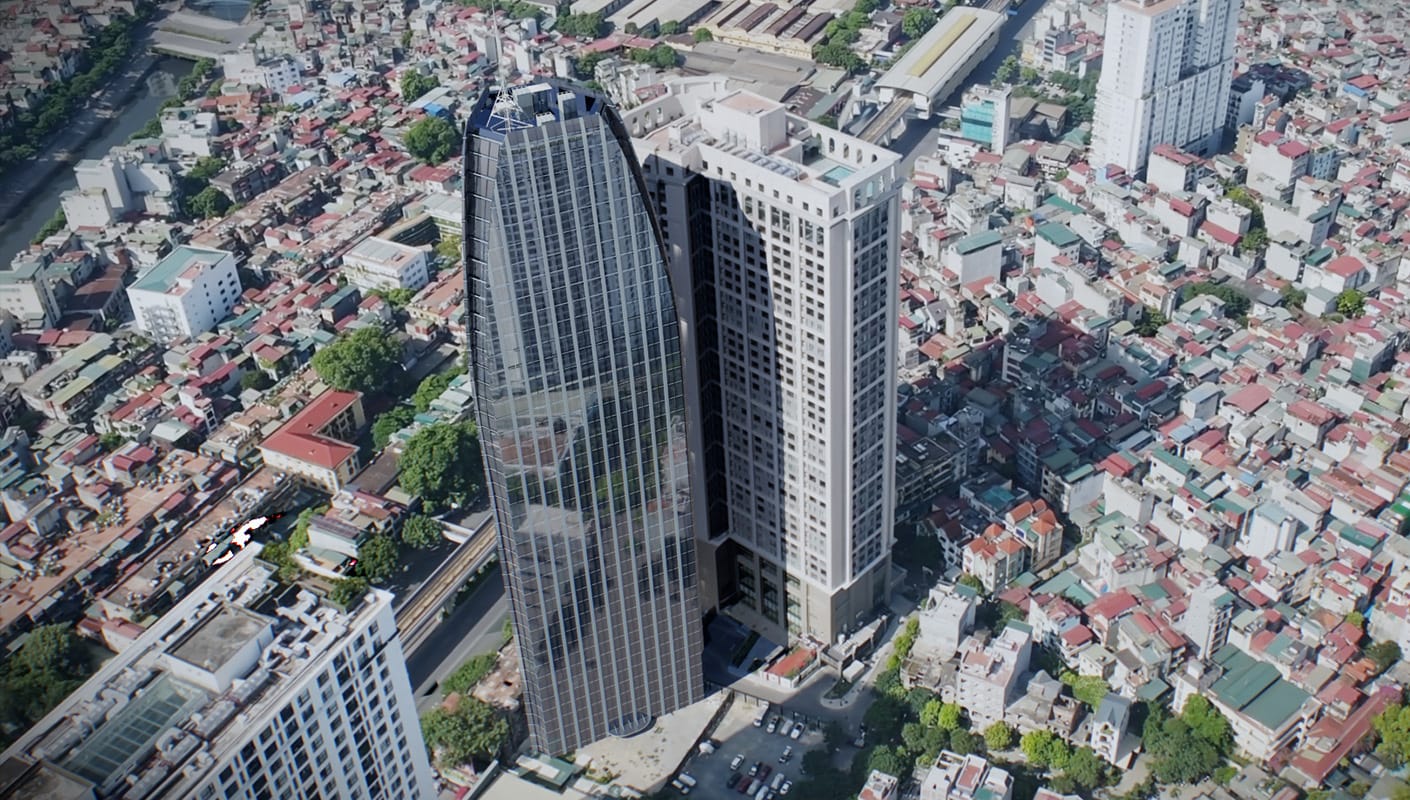
Explore a new dimension of realism with Gaussian splats support in Corona 14. Easily place buildings in context and render complex 3D environments with accurate reflections and refractions, thanks to Gaussian splats' novel scene reconstruction. Fill your scenes with detailed, memory-efficient splats of real-world environments or objects for smoother surfaces, richer volumetric detail, and a more natural sense of depth.  

Learn more

Bring the night to light.

Night Sky 

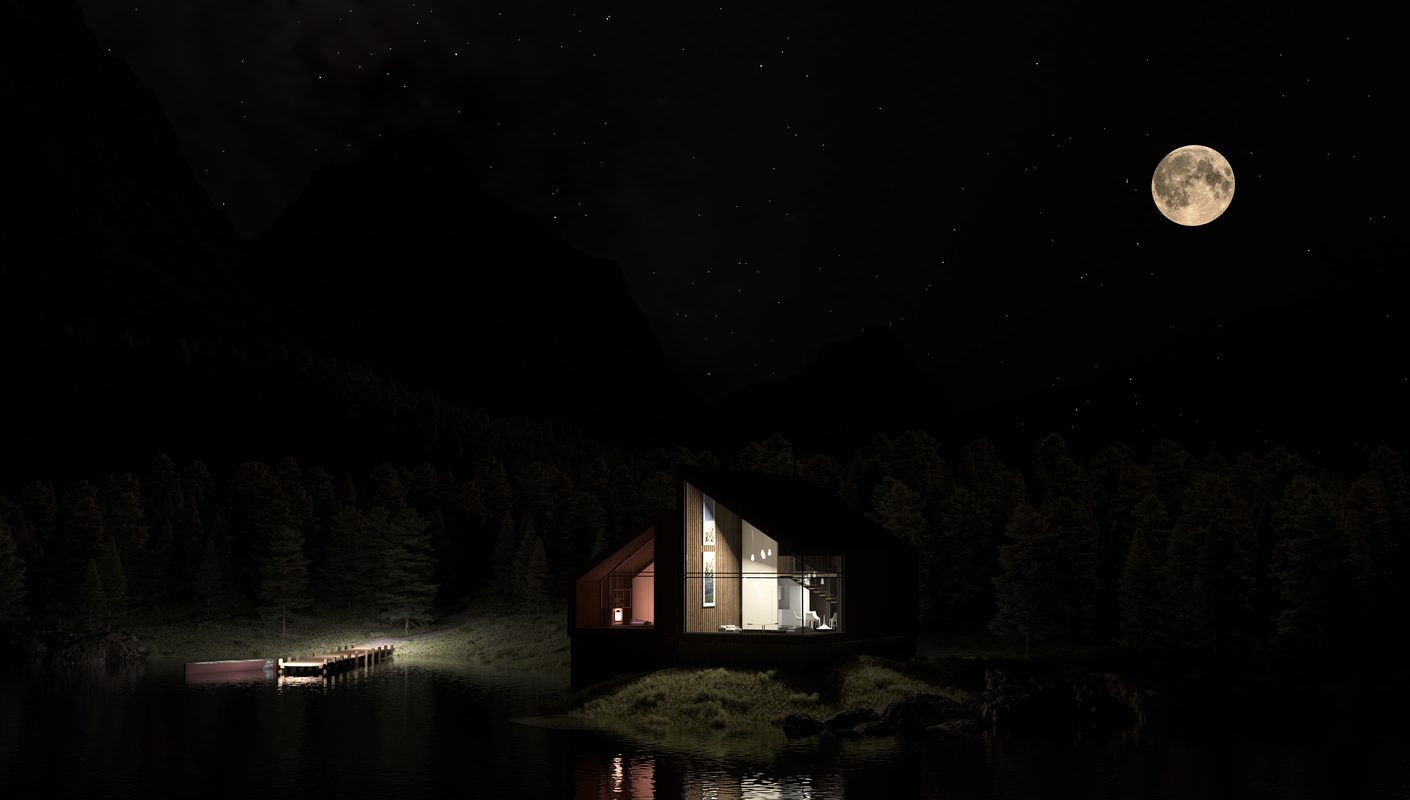
Bring the magic of night into your renders with the new Night Sky. Expanding the Corona Sky system, it adds realistic moonlight, stars, and even the Milky Way. Choose full realism by setting location, date, and time, or take an artistic approach by manually adjusting the celestial objects. Craft the exact atmosphere you want without relying on HDRIs. Fully animatable, Night Sky is perfect for time-lapse sequences and cinematic storytelling.  


Corona_14_Night_Sky_01.png

Create with the power of AI.

corona-material-gen-690x380.jpg
AI Material Generator

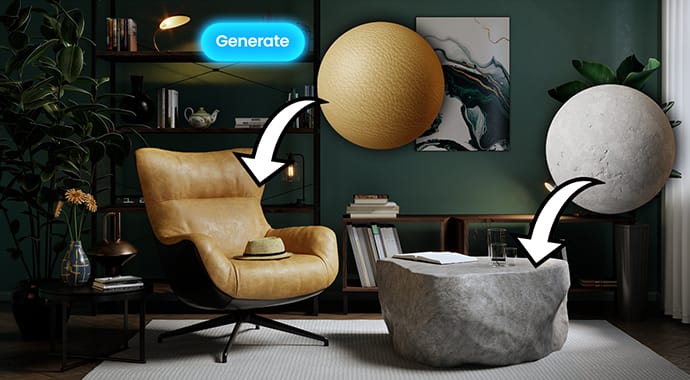
Create materials in seconds thanks to the new AI Material Generator available in Chaos Cosmos. Upload a photo of a real-world surface and turn it into a render-ready PBR material with all necessary maps in just a few clicks. It’s ideal for secondary materials that don’t need extensive art direction, allowing you to fill out environments and interior spaces quickly.
enscape-advanced-enhance-comparison-690x380.png
AI Enhancer Advanced Controls

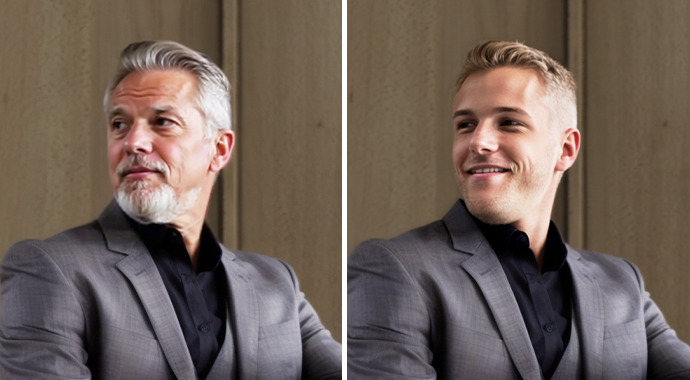
The AI Image Enhancer (part of Chaos Cloud Collaboration) elevates realism, texture, and detail in supporting elements—like foliage, people, or terrain—without altering your core design. With the advanced controls, you can fine-tune the appearance of people, and refine vegetation for precision and consistency. From street-level shots to aerial views, it automatically enhances areas for improvement—no re-rendering needed.

Learn more >

AI-Enhance-and-LightMix-Anim-GIF.gif
Send LightMix results to AI Enhancer

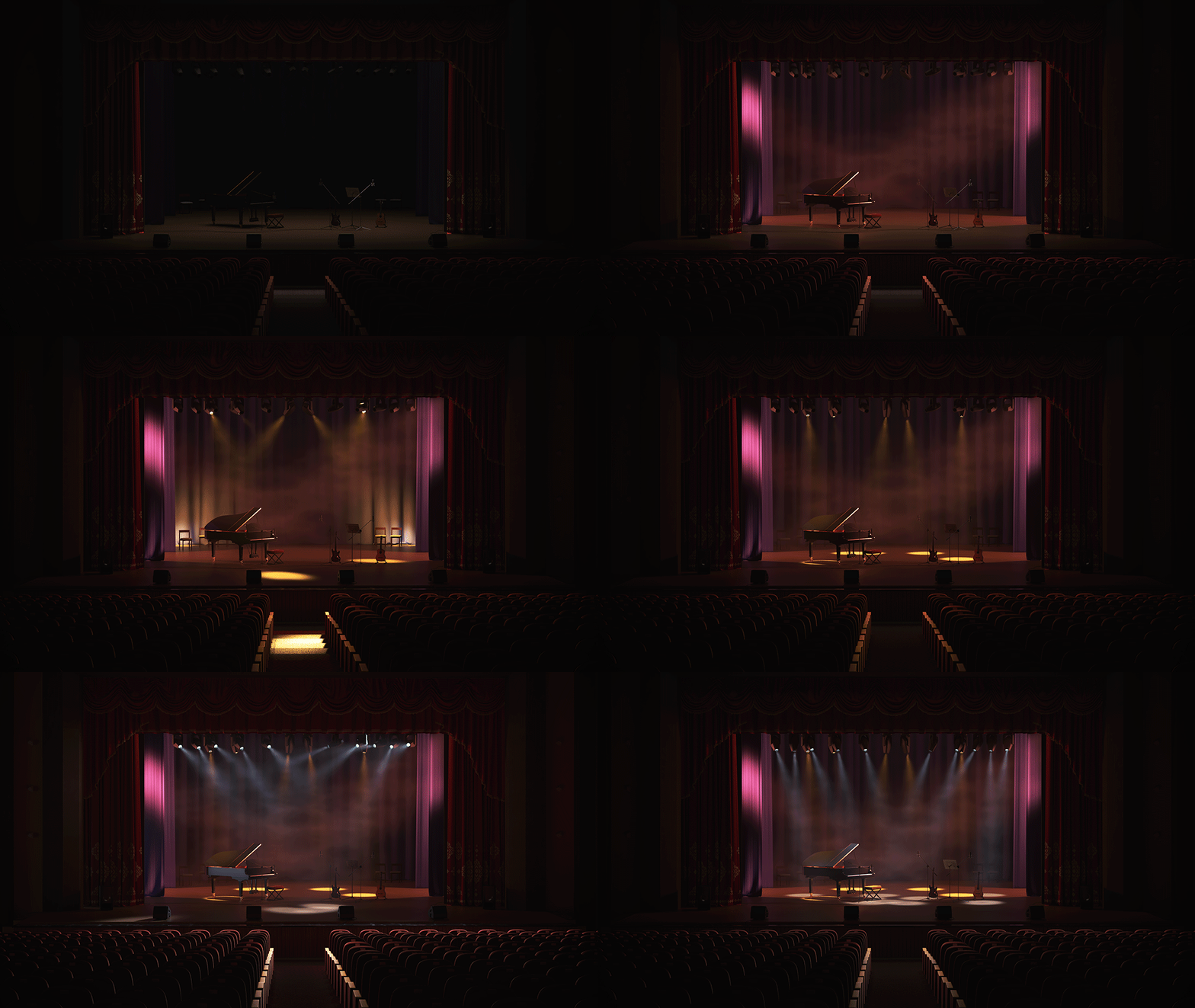
Corona 14 expands the power of AI by letting you send LightMix results directly to the AI Enhancer, not just the Beauty pass. Whether you’re exploring multiple lighting scenarios or fine-tuning the mood of your scene, you can now benefit from AI enhancement on the exact look you’ve chosen.

enscape-ai-upscaler-couch-690x380.jpeg
AI Upscaler

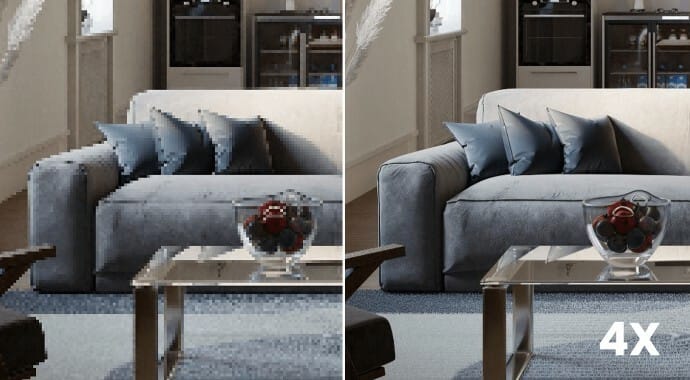
Turn low-resolution renders into high-quality, presentation-ready visuals, saving hours of rendering time while still getting crisp, photoreal results. Part of Chaos Cloud Collaboration, the AI Upscaler not only boosts resolution, it also sharpens textures and details, so your work looks even more polished.

Learn more >

More realism, less friction.

Procedural Fabric Material

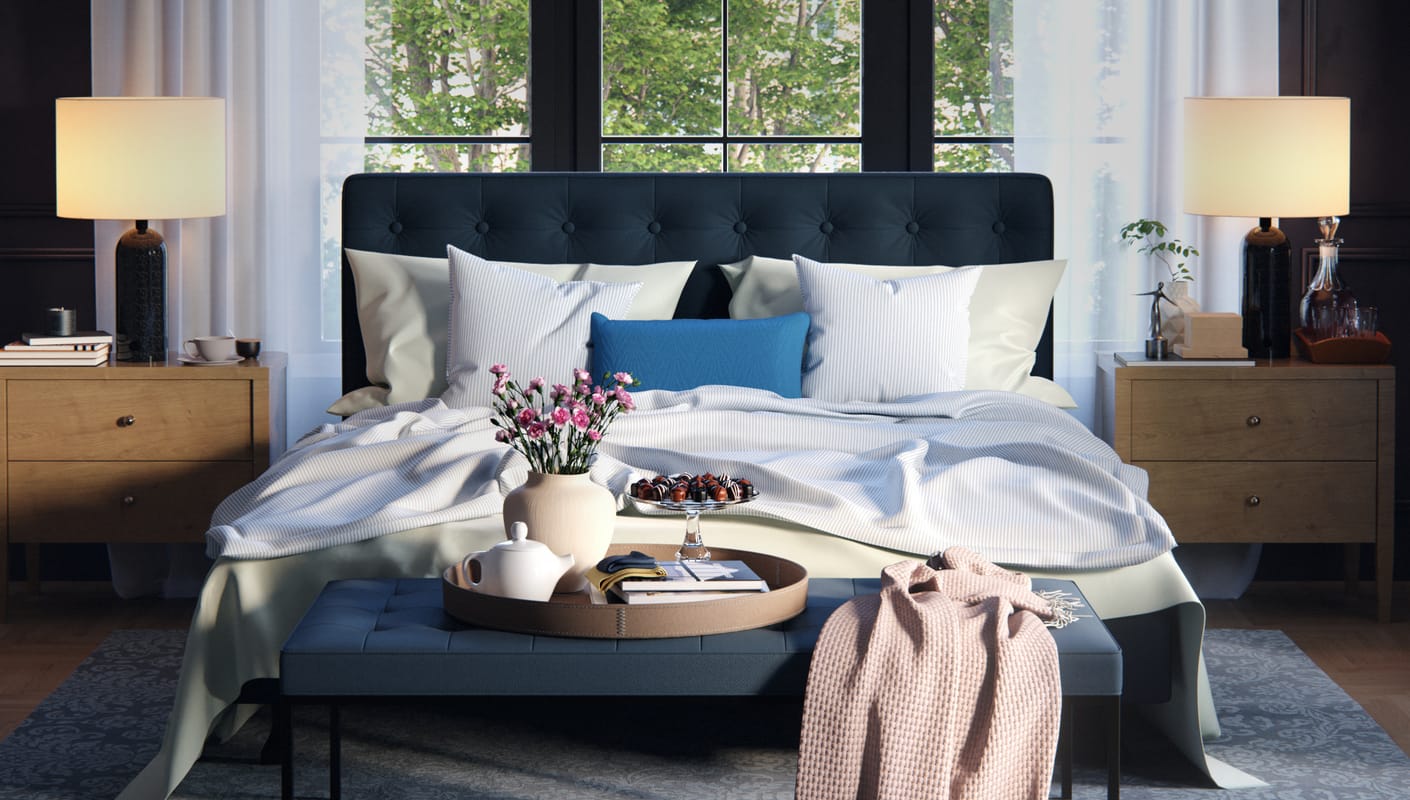
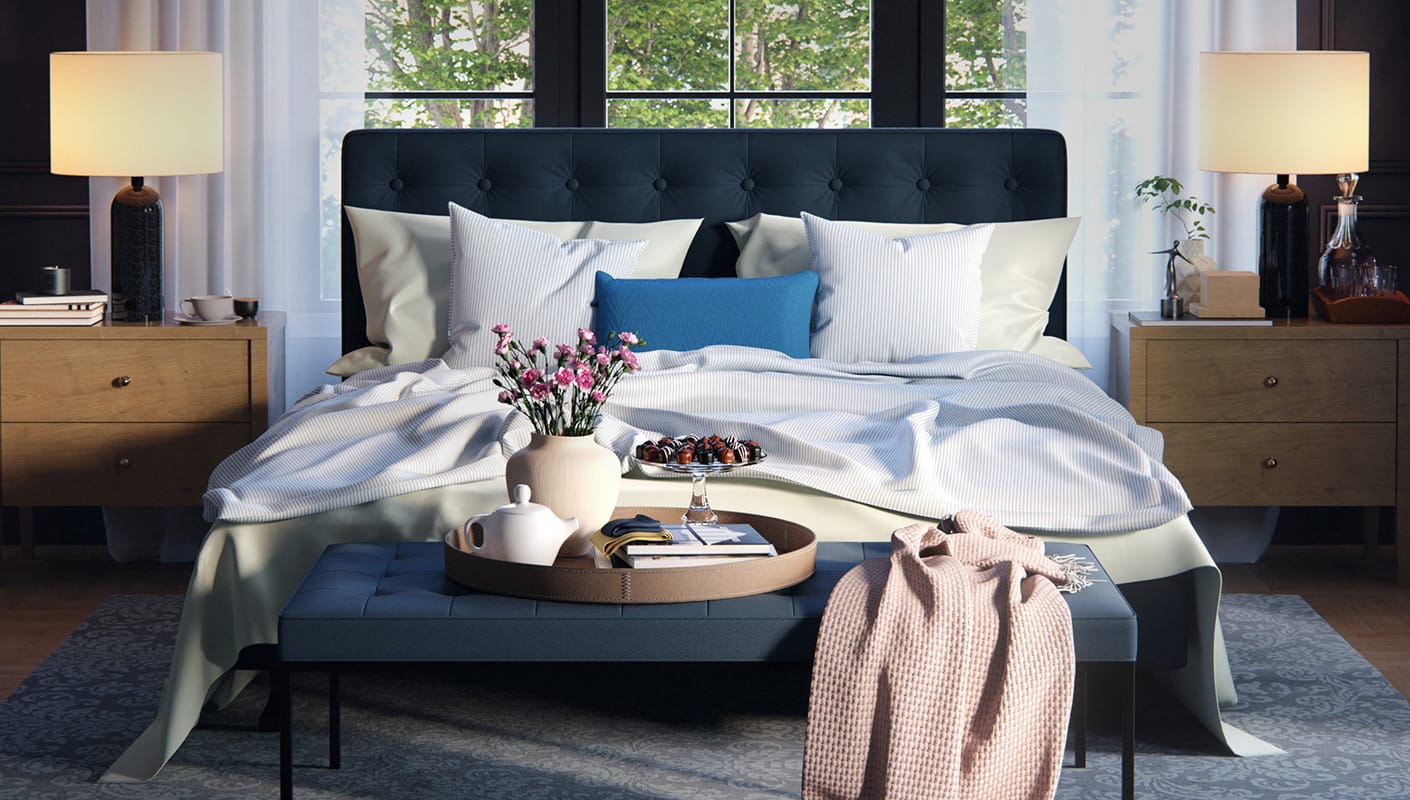
Design fabrics with true-to-life woven detail, having full control over the weave or threads, including opacity, bump, displacement, and more. With the new procedural Fabric Material, you can now create a wide range of detailed fabrics without relying on external bitmaps or complex node setups. Fabric Material also comes with presets to help you get started.
 

Corona_14_Fabric_Material_02.jpg

Greater creative freedom & control.

Corona-14-Toon-Fabric-Scene-Toon-Shadow-Ramp-v2-1410x800.jpeg
New Toon shader controls & shadows

You can now suppress global illumination per material, giving you the flat, stylized lighting that cartoons and comics require. Plus, tint your shadows using a single color or a gradient ramp to create expressive, customized shading that enhances your artistic style.

Corona-14-Scatter-Avoidance-Collections-large-anim-GIF.gif
Avoidance groups in Scatter (Corona for 3ds Max)

Use avoidance groups to prevent overlap between scattered objects when working with multiple scatters. Define the priority of each group in the Scatter Lister to easily achieve the exact results you need.

Better performance.

Corona-14-Stage-Volumetrics-Anim-GIF-1024.gif
Improved Volume Sampling

Render volumetrics faster with optimized Volume Sampling, making complex scenes with fog, light rays, or smoky interiors much more efficient to render.

Automated High-Resolution Downscaling

Save render time without sacrificing quality with Corona 14’s new option to render at double resolution and automatically downscale on save. By rendering at a higher resolution and then downsizing, you can often use higher noise levels or fewer passes, cutting render times significantly while still delivering a clean final image.

UI Rewrite to QT (Initial Phase)

Work faster and smoother with the first phase of Corona’s UI rewrite to QT, starting with the Physical Material for better speed and responsiveness.

Smoother workflows, improved usability.

Cosmos_Improvements_v01.png
Improved VFB 2

Corona 14 brings ongoing improvements to the Virtual Frame Buffer (VFB 2), making it cleaner, clearer, and easier to use. Based on direct user feedback, the interface has been refined to take up less space, simplify navigation, and provide clearer icons and labels. With these updates, users can confidently move from the original VFB to VFB 2 — unlocking all the powerful tools it provides, from auto exposure and white balance to LightMix improvements, the AI Enhancer, and Cloud Collaboration.

Corona Image Editor matching VFB 2

The Corona Image Editor (CIE) now matches the look, feel, and functionality of the updated VFB 2, ensuring a consistent experience across both tools. Images rendered in Corona 12 and later are once again fully usable in the CIE. Apply tone mapping, LightMix variations, and more — all outside of 3ds Max or Cinema 4D, without reopening your DCC.

Export multiple cameras to Vantage (initial implementation)

Corona 14 continues to strengthen its integration with Chaos Vantage by introducing the ability to export multiple cameras at once. This first implementation provides a fast and straightforward way to bring your camera setups into Vantage, with more refinements planned for future releases. Combine Corona’s ease of use with the real-time power of Vantage for fast photoreal results.

Triplanar Controls directly in Corona Bitmap

As a common user request, basic Triplanar mapping controls are now available directly inside the Corona Bitmap, making material creation and adjustment quicker and easier. No need to set up a separate node — apply Triplanar mapping right where you need it.

Improved conversion of materials from Cosmos

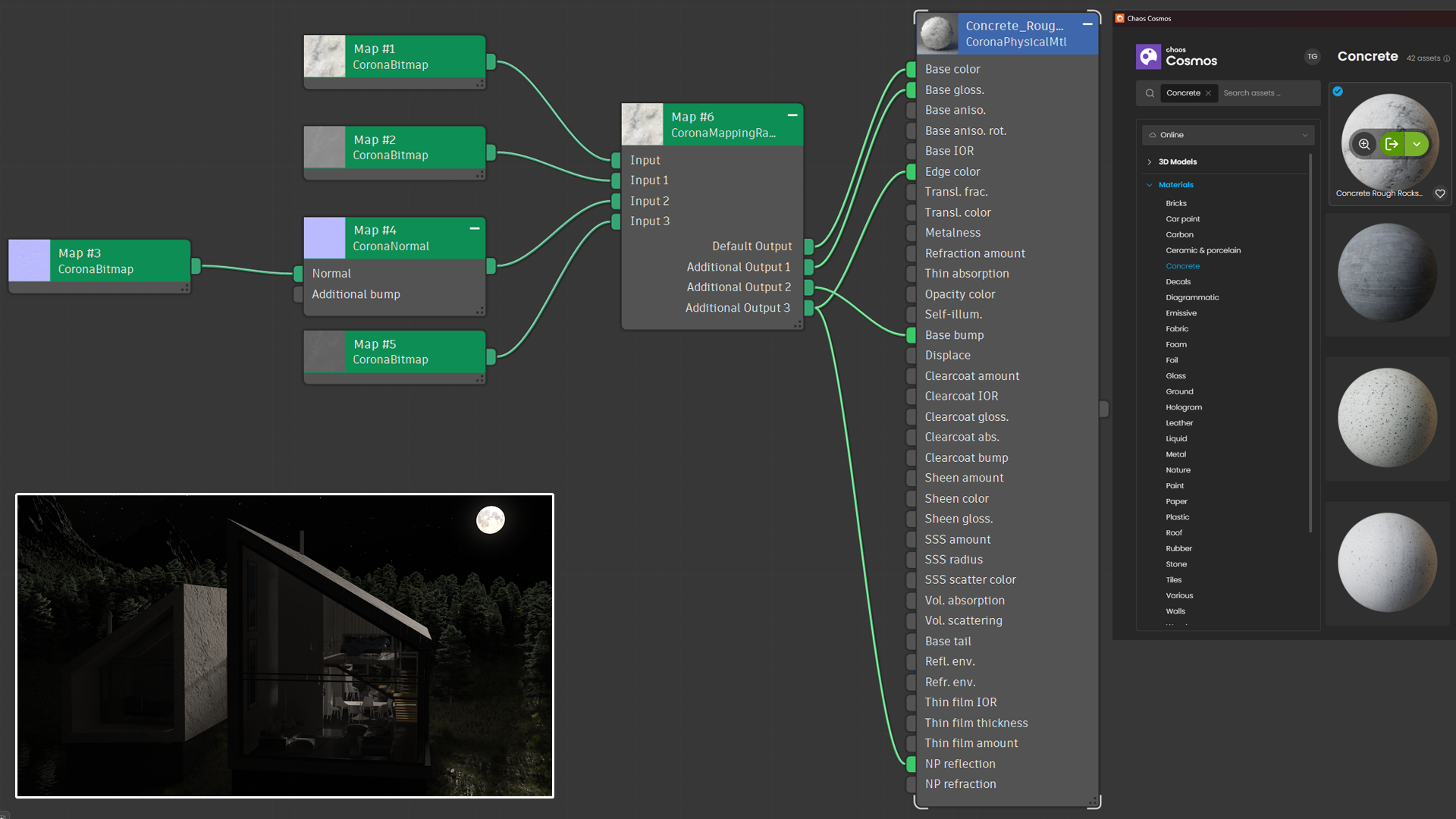
Numerous fixes to the conversion done on loading a Cosmos material mean that they will render more similarly to V-Ray, and give you a neater and more controllable node structure for the materials.

And more.

Enable/Disable AI features (initial implementation)

AI is here to empower your creativity, but only when you decide to use it. For studios and professionals with strict policies around AI, you can now choose to disable AI-powered tools such as the Image Enhancer and Material Generator.

Dockable VFB (Corona for 3ds Max)

Customize your workflow and free up workspace with the new Dockable VFB in Corona for 3ds Max. Instead of working around a floating window that covers parts of the interface, you can now dock the VFB directly into your layout. This gives you all the controls of the VFB without cluttering your screen.

Flip image horizontally in the VFB

Flip your render horizontally in the VFB to get a fresh perspective and catch details you might have missed. This helps artists overcome “familiarity fatigue”, when spending hours on the same image makes it harder to spot issues.

Screen Space mapping for Bitmaps

Create a greater range of effects with Toon and Outline shaders thanks to the new Screen Space Mapping for bitmaps. Instead of textures following the 3D space of the scene, Screen Space Mapping makes them appear as if they’re “drawn onto the screen” or a piece of paper. This allows for effects such as hatching, sketching, and other stylized looks, giving artists more flexibility when blending photorealism with artistic expression.

Try Corona

Test drive Chaos Corona for free for 30 days without any limitations!
Chaos
© 2025 Chaos Software EOOD. All Rights reserved. Chaos®, V-Ray® and Phoenix FD® are registered trademarks of Chaos Software EOOD in Bulgaria and/or other countries.